Presence
See who else is working on the show, what they're looking at and where they're pointing.
Everyone signed in to the same show machine works on the same project at the same time, so there's no personal copy to merge later. When one person opens a project, everyone's screen switches to it.

The avatars in the top bar
Everyone signed in appears as a small round avatar on the right of the top bar, between the help button and your username. Each avatar shows the first letter of the person's display name.
| What you see | What it means |
|---|---|
| Avatar with a ring in its own color | You. You can't click it, because you can't follow yourself. |
| Plain avatar | Someone else. Click it to follow their view. |
| Avatar with a white ring | The person you're following. |
| Avatar whose tooltip says AI assistant | An AI assistant that has worked here in the last two minutes, with a name that says whose it is. It has no camera, so you can't follow it. |
| A Following name chip to the left of the avatars | You're following someone. Click the chip to stop. |
Your own avatar is always first, and the others follow in the order they joined.
Note
The avatar row is hidden when the top bar has no room for it, on a phone or in a narrow window. Presence still works, but you can't see the row or click an avatar to follow someone.
Per-user colors
Each person gets a color when they sign in, and keeps it while they stay signed in. It's the same color on every screen, and it marks everything of theirs:
- their avatar in the top bar
- their pointer and name tag on 2D tabs
- their camera outline and name label in the Scene
- the dot where they're pointing at a surface
- the dots showing the points they've selected
Once you know that amber is the person on the tower, you can read the screen at a glance without checking names.
Moonshine gives each new person a color that no one signed in is using, so up to eight people each have their own color. With more than eight, colors repeat. A color is freed when its holder leaves, so the same person may get a different color next time. The pointer, the camera outline and the dot on the surface also show the person's name, so you can still tell people apart when colors repeat.
Remote pointers
On every tab except Scene, other people's pointers appear as small arrows with a name tag in their color, moving in real time.
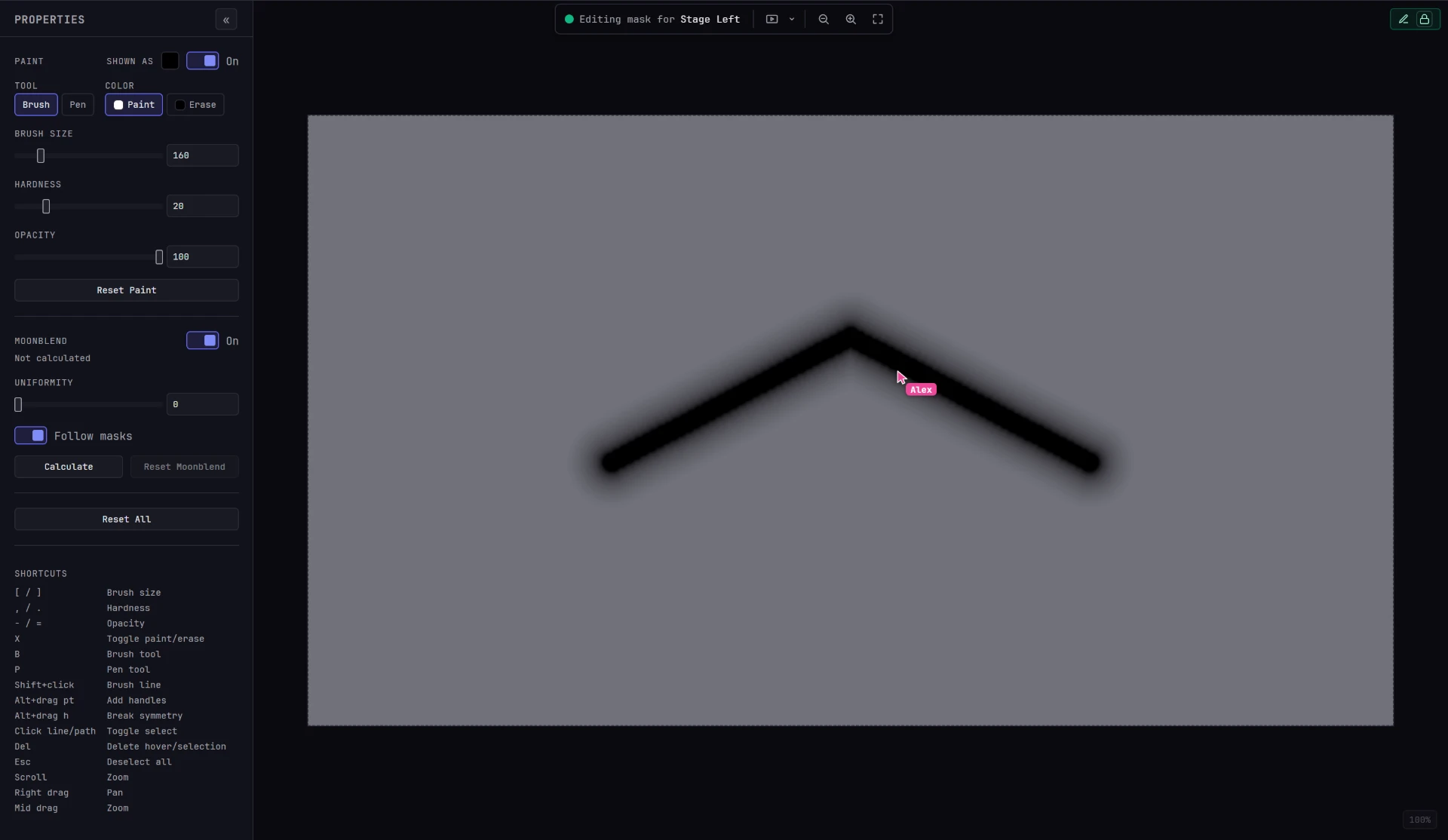
- You see only the people on your tab. Someone working on the Cue tab doesn't appear on your Mask canvas.
- Idle pointers disappear. If someone doesn't move their pointer for about 8 seconds, it's hidden until they move it again.
Presence in the Scene
The Scene tab is 3D, so other people appear in the scene itself instead of as flat pointers:
- A camera outline: a wireframe pyramid with a faint fill, in their color, placed where their camera is and pointing where they're looking. Their name sits at the tip.
- A dot where they're pointing: when their pointer is over a surface, a dot with a name tag marks that spot. It moves with the surface if the surface moves, and catches up with a warp the next time they move their pointer.
- Their selection: the points they have selected, shown as smaller, fainter dots in their color.
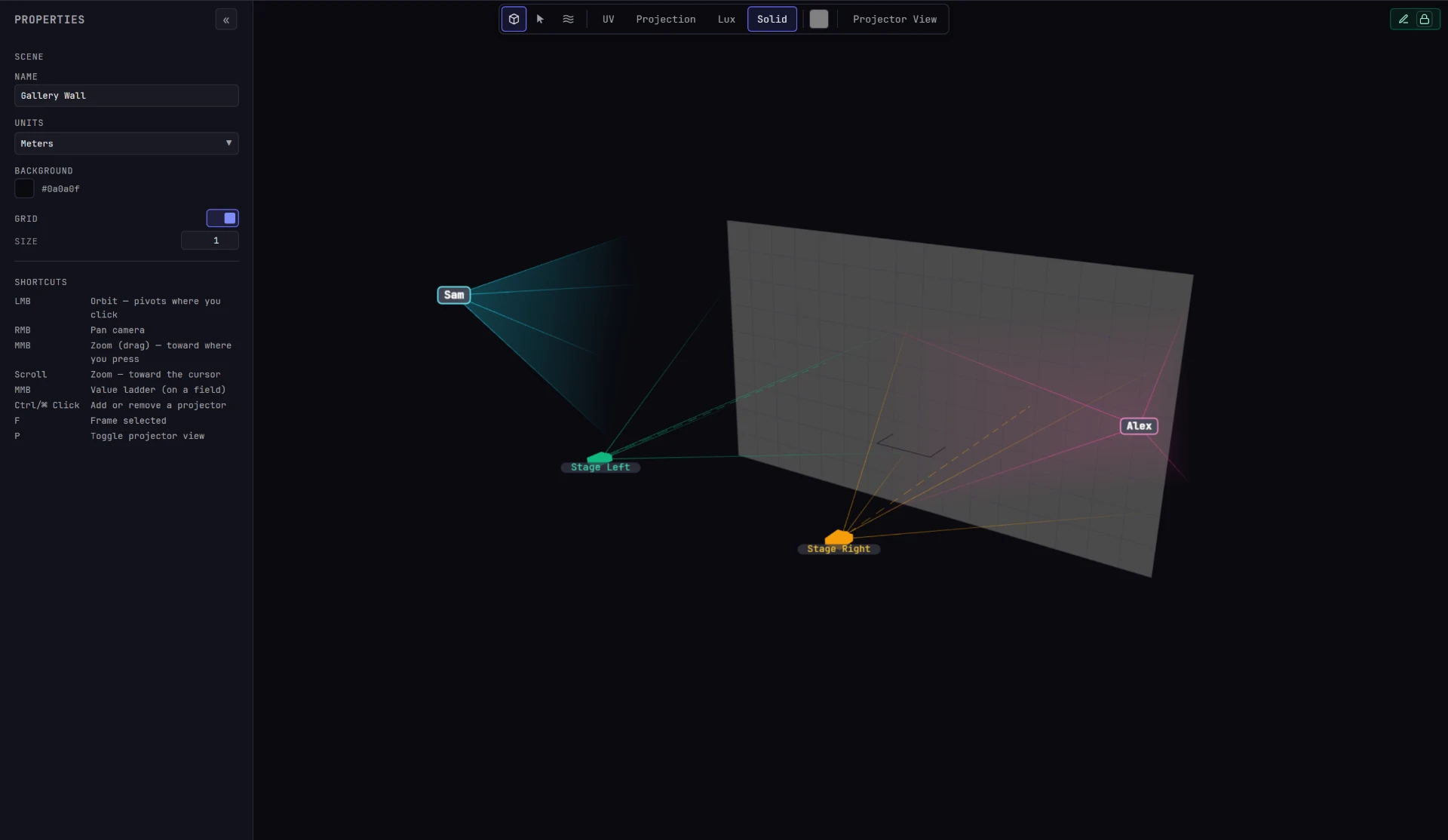
Someone's camera outline is hidden only while you're following them or they're following you, because your two cameras are then in the same place. Their pointer dot and selection dots stay visible. Two people who orbit to the same spot by chance still see each other's outlines.
Tip
If someone's camera outline disappears but their avatar is still in the top bar, they've left the Scene tab or switched to projector view (P), which shows a projector's viewpoint.
One person, one session
An account can be signed in in only one place at a time. If you sign in on a second device or in another browser, the first one is signed out without a message and returns to the sign-in screen. If a screen drops back to sign-in unexpectedly, check whether someone else is using your account.
This keeps one avatar, one color and one set of locks per person, so it's always clear who holds what. If two people need to work at the same time, give them separate accounts.
Where to go next
| Page | What it covers |
|---|---|
| Locks | How editing rights are claimed, shown and handed over |
| Following an operator | Locking your Scene camera to someone else's |
| Editing a surface together | Two people shaping the same surface at once |
| Users and sessions | Creating accounts and revoking sessions (administrators only) |
To bring a second person onto the show, see Join from another device.